
ModBus / RS485
1. Introduction
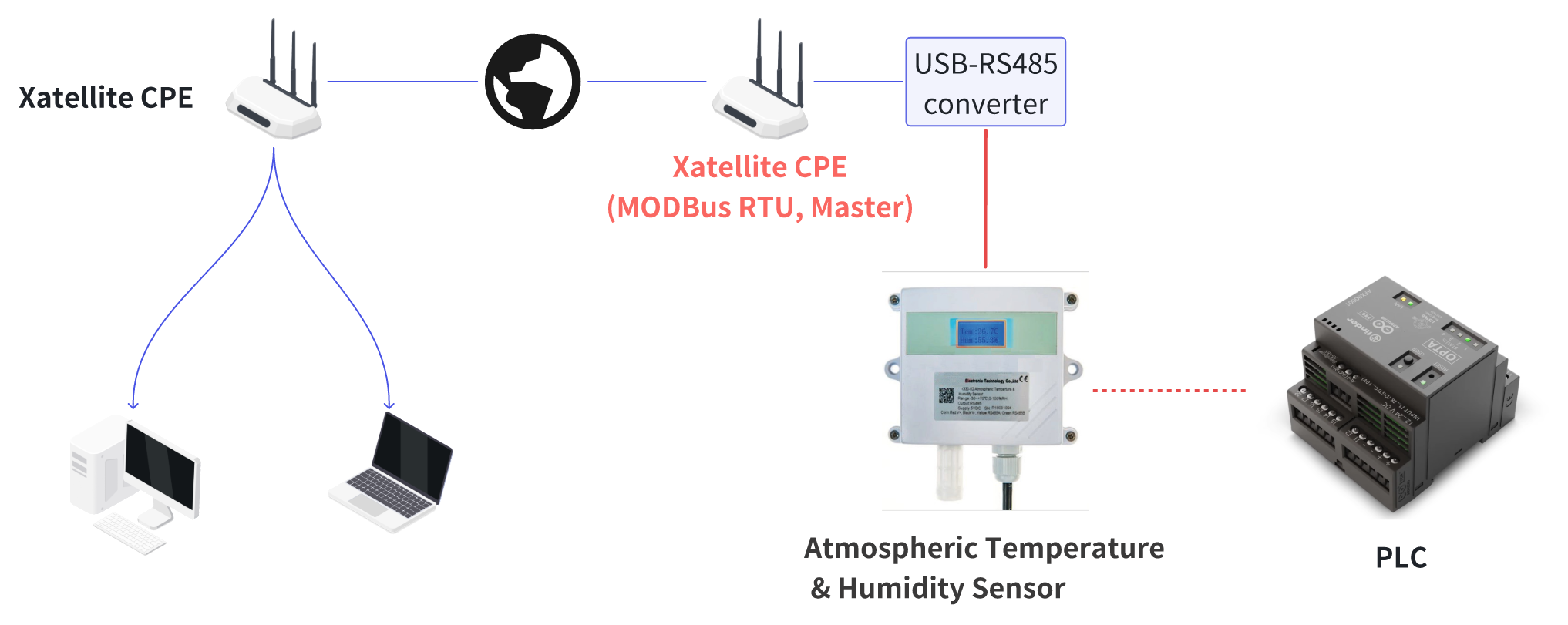
MODBUS RTU over RS485 is a widely-used industrial communication protocol that enables reliable data exchange between control and monitoring devices. This application note describes how to set up MODBUS RTU communication on Xatellite series devices using a USB-to-RS485 converter.
2. Overview of MODBUS RTU
MODBUS RTU is an open, serial communication protocol developed for industrial applications. It follows a master/slave architecture where one master device can communicate with up to 247 slave devices on the same network. The protocol's simplicity, reliability, and efficiency make it popular for:
- Industrial automation
- Building management systems
- Energy monitoring
- Process control
- Data acquisition
3. RS485 Interface
RS485 (also known as TIA-485) is the physical layer used to carry MODBUS RTU communications. Key features include:
- Differential signaling for noise immunity
- Lightning Prtotection
- Multi-drop network capability (up to 32 devices without repeaters)
- Cable lengths up to 1200 meters
- Half-duplex communication
- Data rates up to 921,600 bps (depending on cable length)
4. USB to RS485 converter
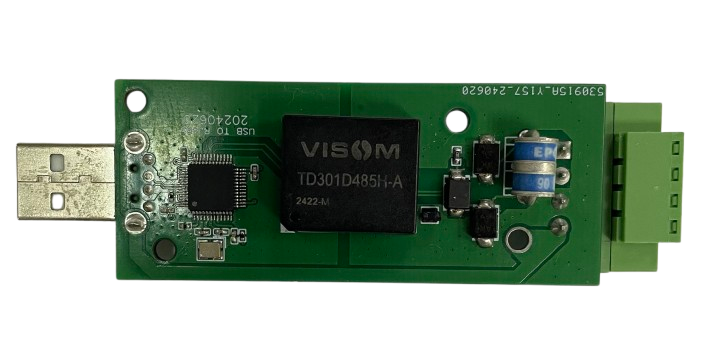
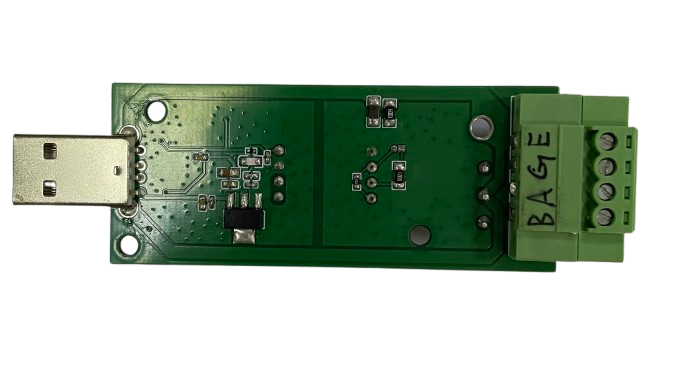
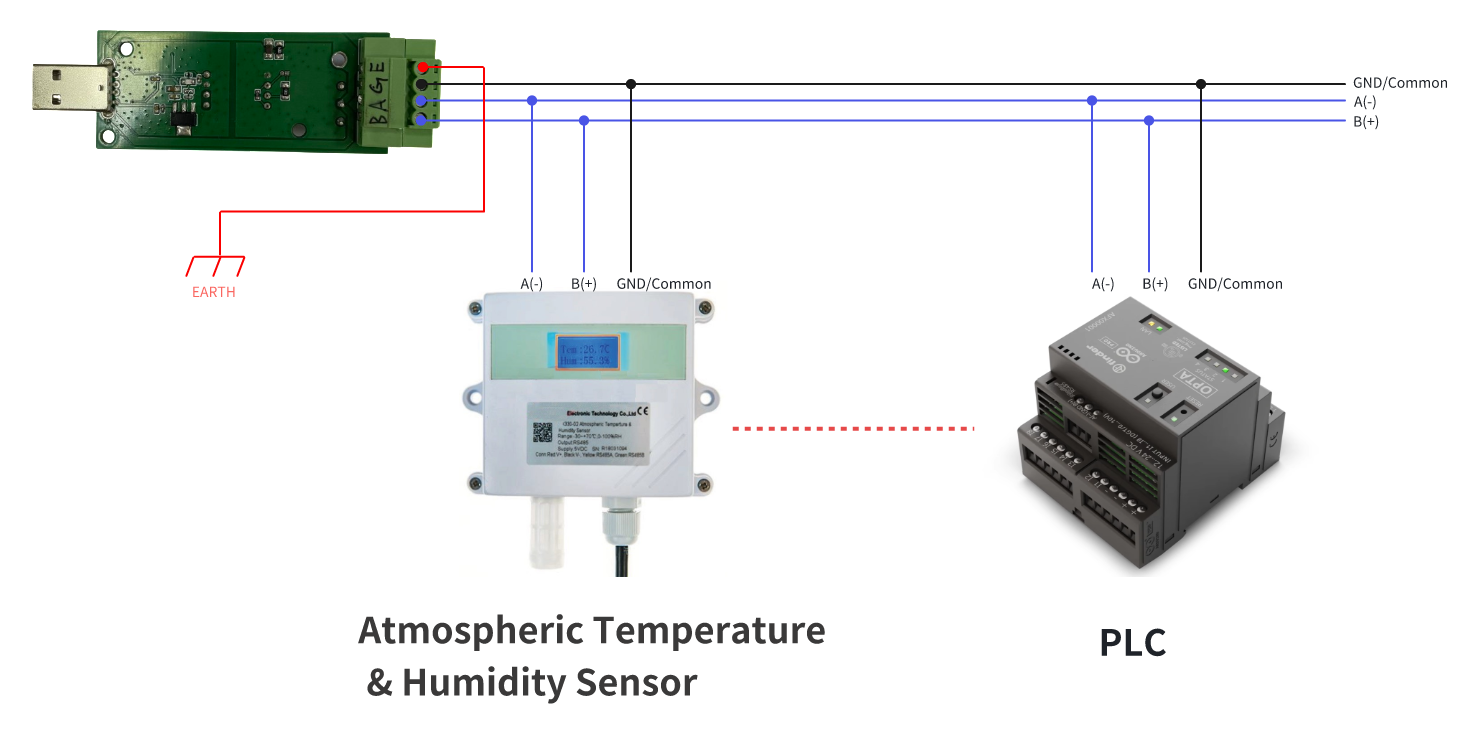
The USB to RS485 converter should be inserted into the USB port. Here is the wire connection diagram:
5. RS485/ModBus Configuration
Login into the Xatellite's Web administration page and go to "Services/RS485/ModBus":
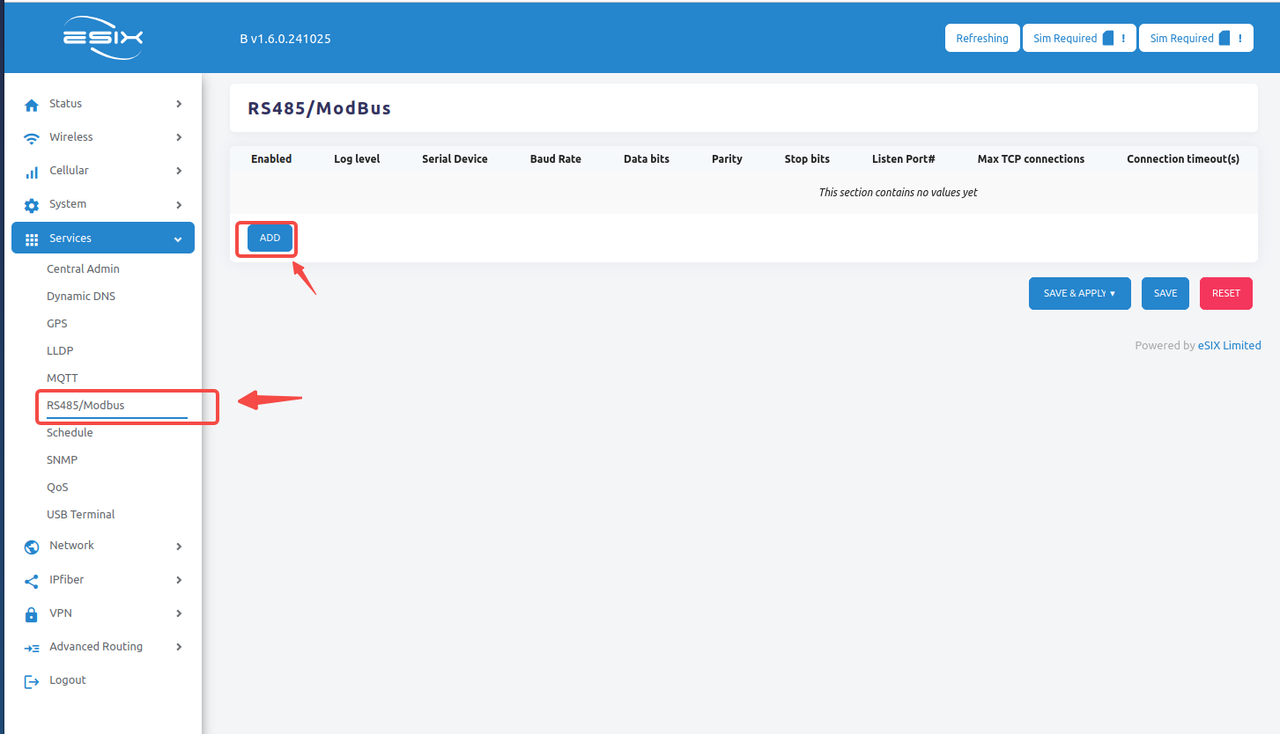
and click the "ADD" button to create a ModBus RTU service (RS485 over TCP):
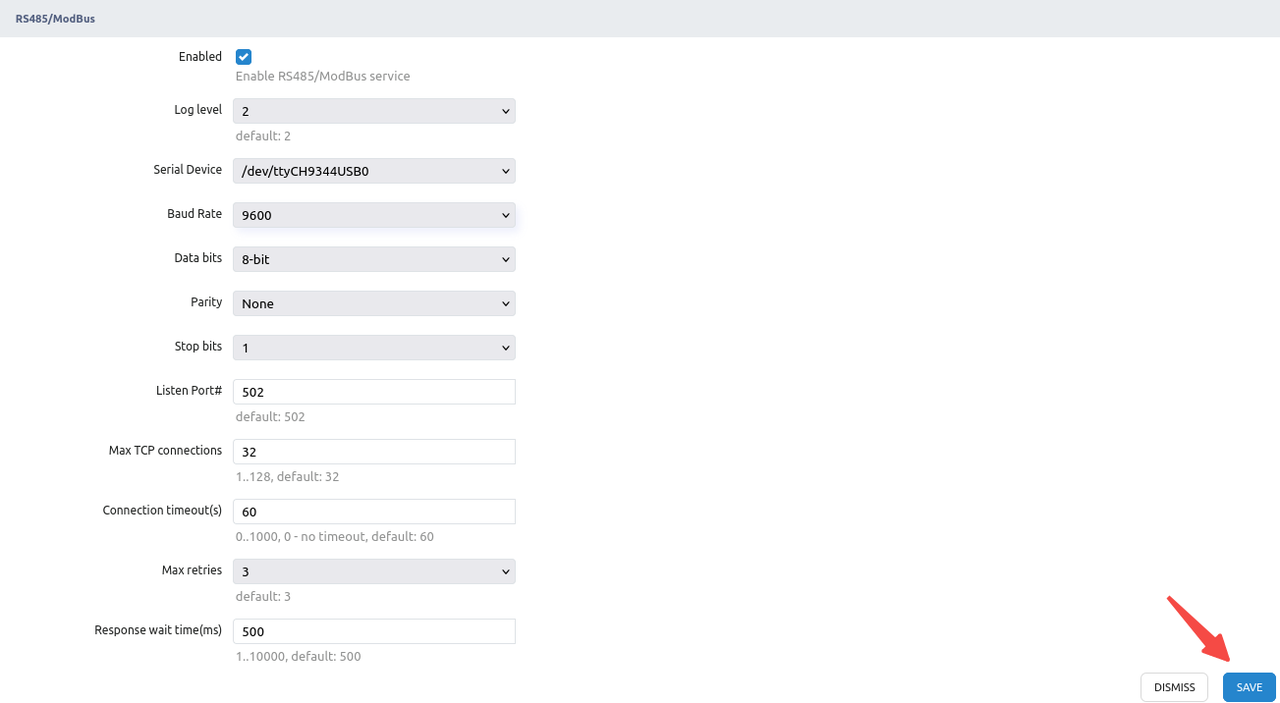
NOTE:
- Don't forget to check the "Enabled" checkbox to enable this service
- The Serial Device should be always "/dev/ttyCH9344USB0"
Once the above parameters are set and click the "SAVE" button, you will see:
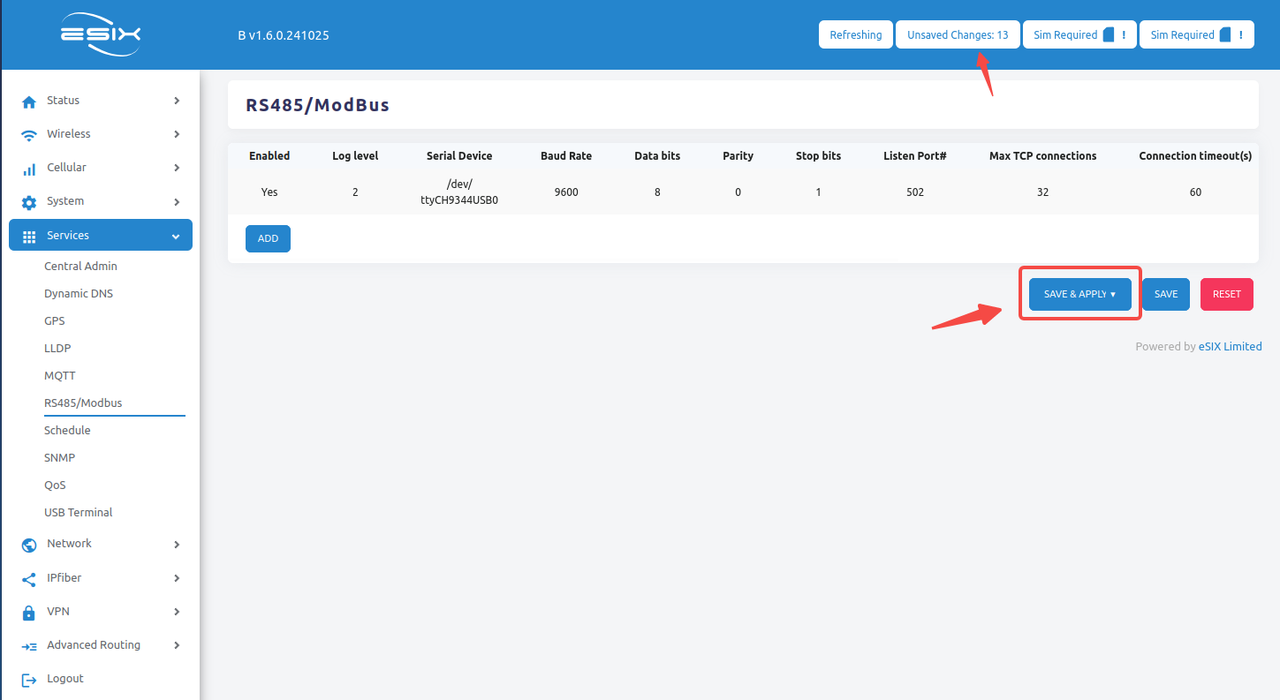
Finally, click the "SAVE & APPLY" button.
NOTE: To make sure the ModBus RTU service daemon is running properly, you might check the System Log. It will show ".....:mbusd-0.4.0 started..." that means the service is running properly.
Fri Oct 25 16:51:18 2024 daemon.err mbusd[20139]: 25 Oct 2024 16:51:18 mbusd-0.4.0 started...
Fri Oct 25 16:51:40 2024 daemon.err mbusd[20139]: 25 Oct 2024 16:51:40 Terminated by signal: SIGTERM
Fri Oct 25 16:53:26 2024 daemon.err mbusd[20345]: 25 Oct 2024 16:53:26 mbusd-0.4.0 started...
6. Suggested ModBus Testing Tools
For the sake of a quick test, there are many free ModBus Tools. Here is one of open-source ModBus Tools
https://github.com/ClassicDIY/ModbusTool/releases
You might download it and install it on your PC running Windows.
For example, here is the quick test topology:
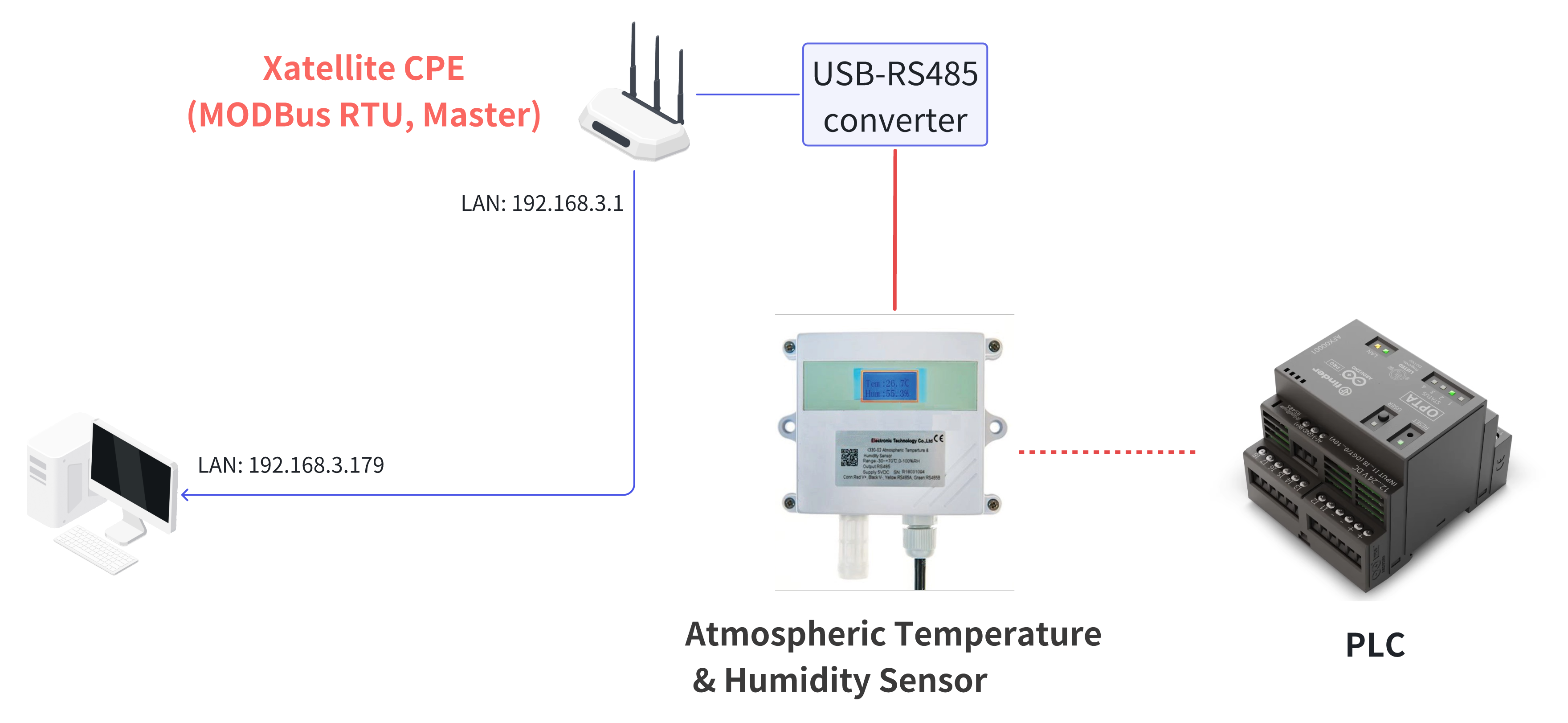
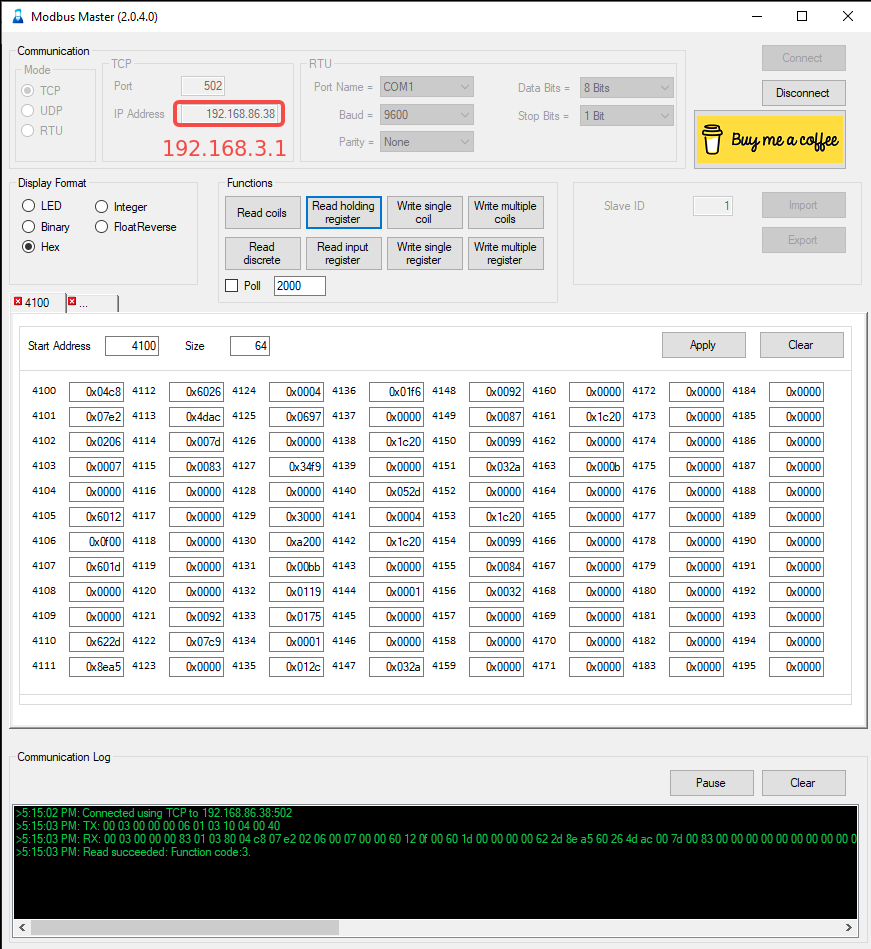
Here is the setup for Modbus Master:
-- END --