
DHCP
1. Introduction
DHCP (Dynamic Host Configuration Protocol) is the Dynamic Host Configuration Protocol, which automatically assigns IP addresses and network configuration parameters to network devices.
1.1 Objectives of this Guide
Helps you quickly master the configuration, management, and troubleshooting of DHCP servers.
2. Configuration steps
The DHCP Function Settings page is divided into four sections
- Basic Configuration
- Static Address Interface
- Active DHCP Service
- Static DHCP Client
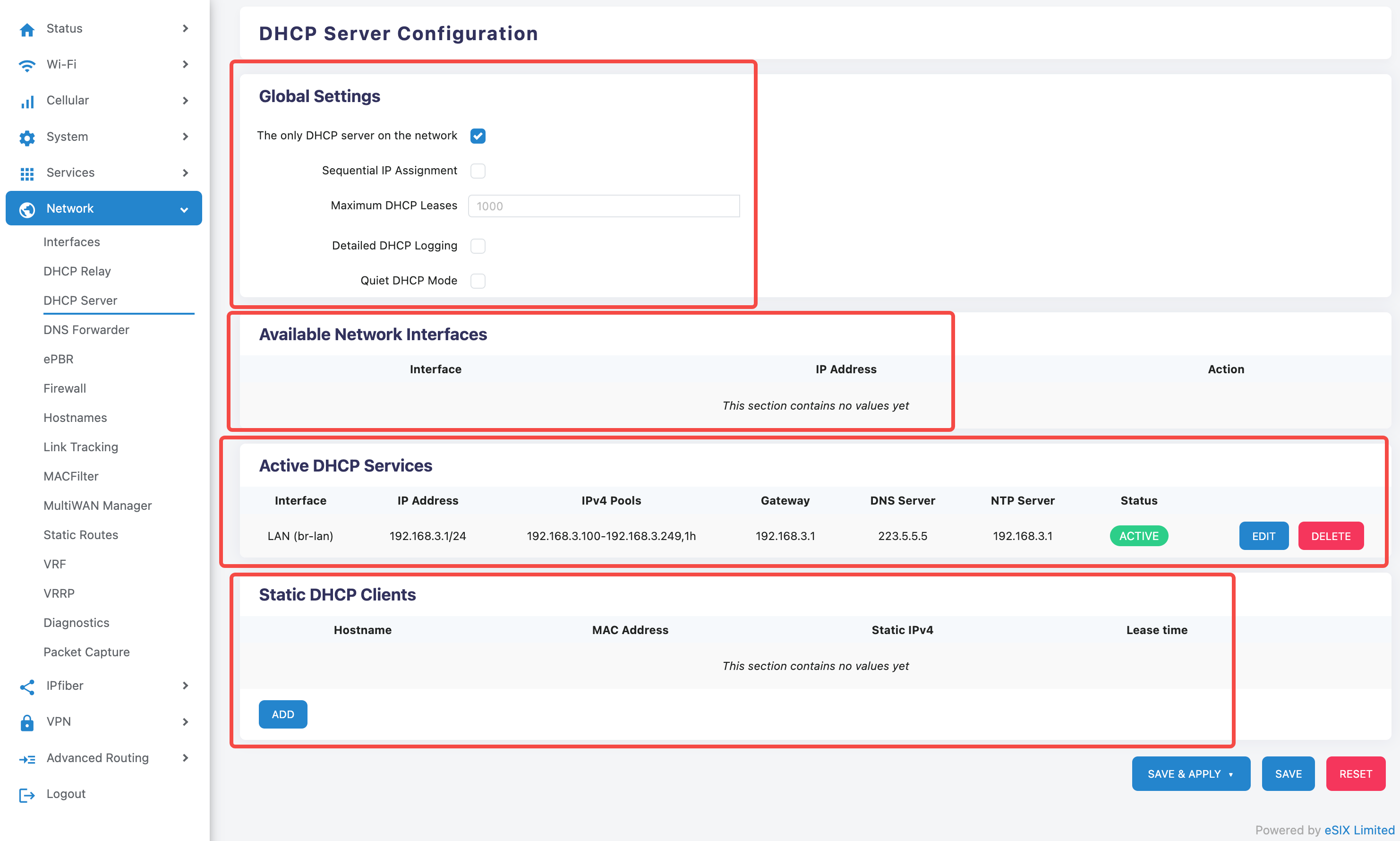
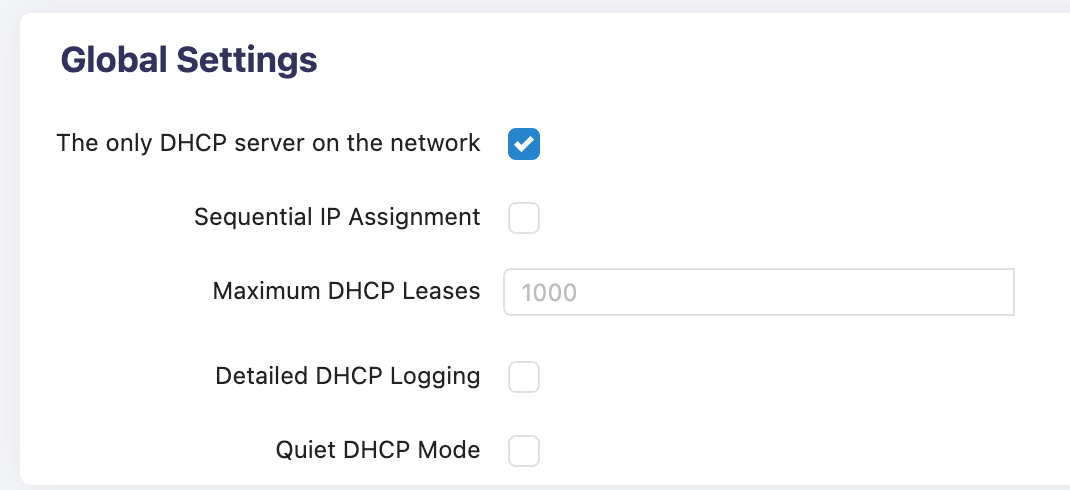
Basic Configuration Options:
Unique DHCP Server ✓ Enabled
- Ensure that only one DHCP server is running in the network to avoid IP Address conflicts
Sequential IP Assignment
- Allocate IP Addresses in order for easy management
Maximum Number of DHCP Leases: Default 1000
- This value can be adjusted according to the network scale
Detailed DHCP Logging
- When enabled, it can record detailed DHCP allocation logs
Quiet DHCP Mode
- Reduce the log output of the DHCP server
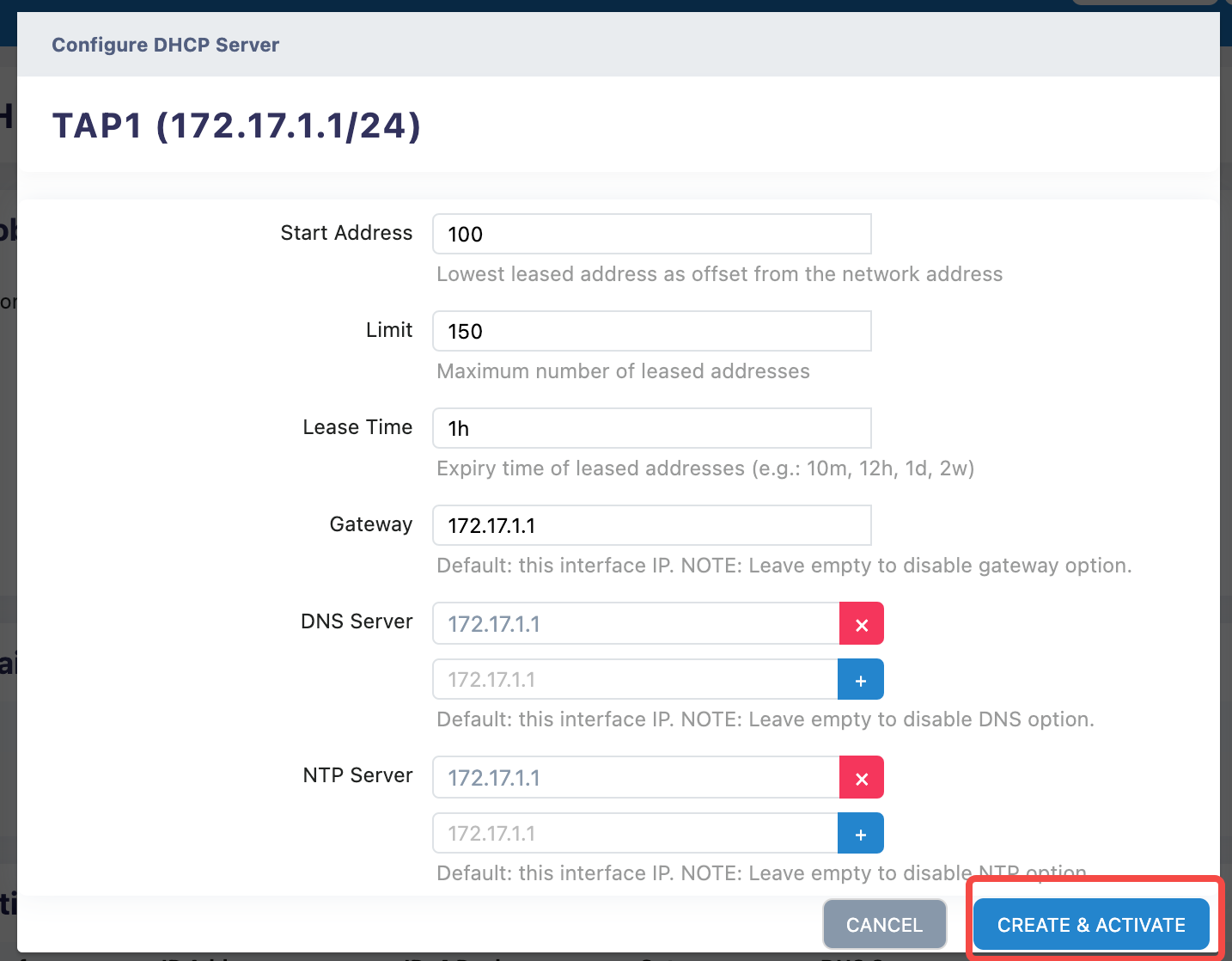
2.1 Static Address Interface
can enable DHCP service for the static address interface

3. Active DHCP Service Configuration
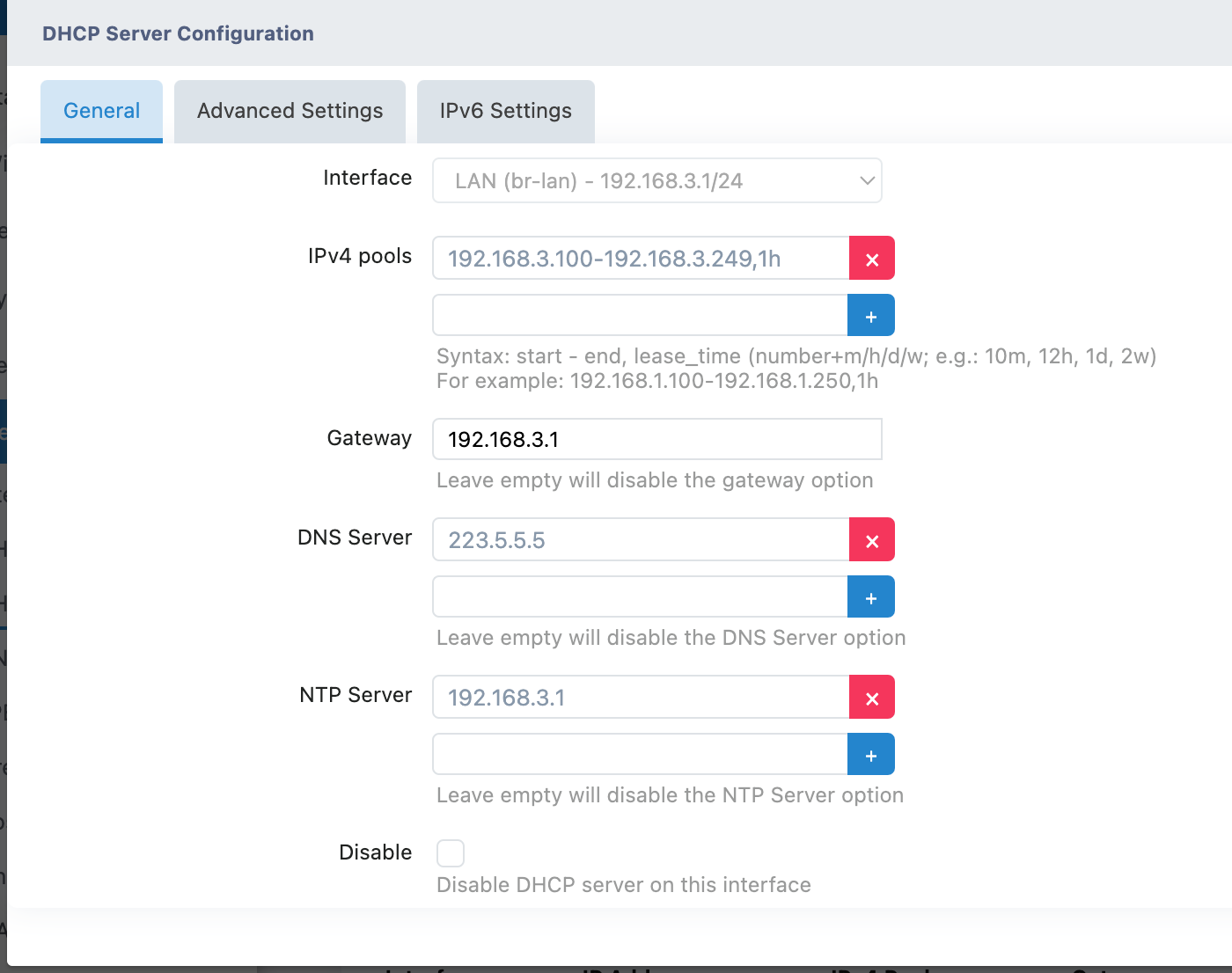
3.1 Current configuration information:
- Interface: LAN (br-lan)
- IP Address: 192.168.3.1/24
- IPv4 Address Pool: 192.168.3.100-192.168.3.249
- Lease Time: 1 hour
- Gateway: 192.168.3.1
- DNS Server: 223.5.5.5 (Alibaba Cloud DNS)
- NTP Server: 192.168.3.1
- Status: ACTIVE

3.2 Operation Steps:
Modify DHCP Service:
Click the EDIT button
Modify the following parameters as needed:
- IP Address Pool Range
- Lease Time
- DNS Server Address
- NTP Server Address
Delete DHCP Service:
- Click the DELETE button
- Confirm the deletion operation
4. Static DHCP Client Configuration
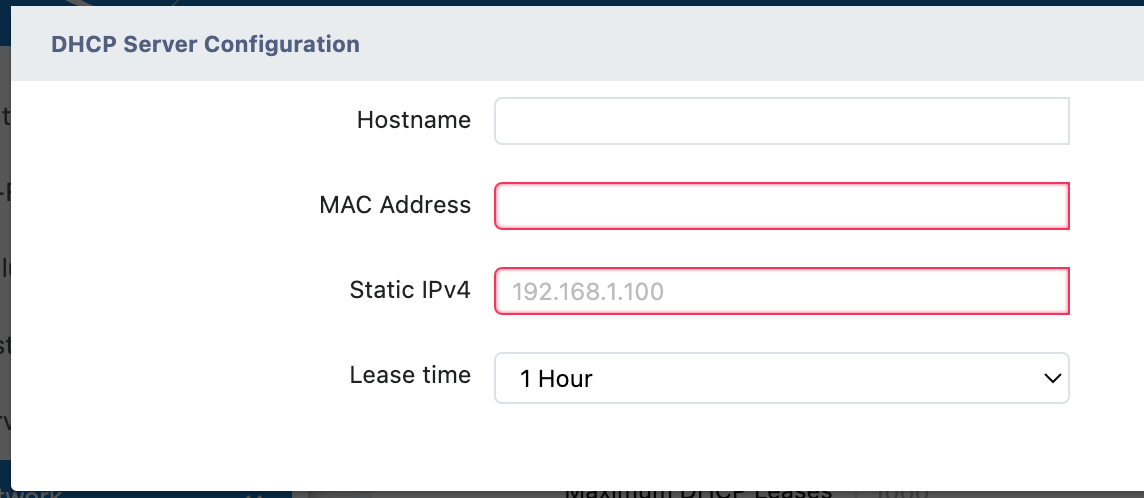
4.1 Add Static IP Allocation:
Click the ADD button
Fill in the following information:
- Hostname: Device Name
- MAC Address : The physical address of a device
- Static IPv4: Fixed IP Address to be assigned
- Lease Time : The valid period of the IP Address

4.2 Usage Scenarios:
- Server equipment requires a fixed IP
- Network devices such as printers
- Important network devices
5. Precautions
6. Best Practice Recommendations
6.1 Security Advice:
- Regularly check the usage of DHCP leases
- Configure a static IP for important devices
- Enabling detailed logging facilitates troubleshooting
- Reasonably set the lease time (recommended 12-24 hours)
6.2 Network Planning:
- Reserve sufficient IP Address pool
- Avoid conflicts between the IP Address pool and static IPs
- Configure a reliable DNS server
- Ensure the gateway address is correct
6.3 Monitoring and Maintenance:
- Regularly check the status of the DHCP service
- Monitor IP Address Usage
- Timely clean up expired static bindings
- Backup DHCP Configuration
7. Troubleshooting
7.1 Frequently Asked Questions:
- Client cannot obtain IP Address
- IP Address Conflict
- DNS Resolution Exception
- Network connection is unstable
7.2 Solution:
- Check DHCP Service Status
- Verify IP Address Pool Configuration
- Confirm Network Interface Status
- View DHCP Logs
Remember to click "SAVE & APPLY" after making any configuration changes to make the configuration take effect.