Introduction
The MultiWAN Manager provides the following functionality and capabilities:
- Outbound WAN traffic load balancing or fail-over with multiple WAN interfaces based on a numeric weight assignment
- Monitors each WAN connection using repeated tests and can automatically route outbound traffic to another WAN interface if the first WAN interface loses connectivity
- Creating outbound traffic rules to customize which outbound connections should use which WAN interface (policy based routing). This can be customised based on source IP, destination IP, source port(s), destination port(s), type of IP protocol etc
- Physical and/or logical WAN interfaces are supported
Configuration steps
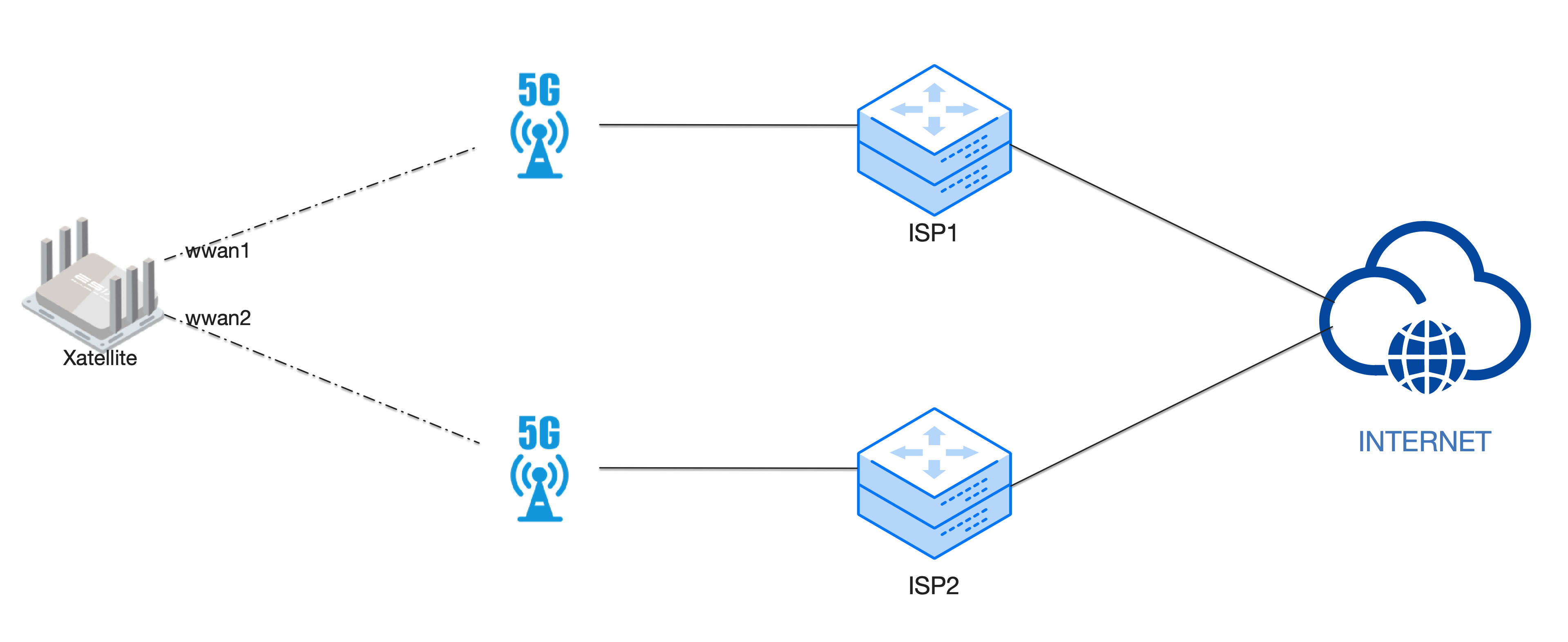
Choose Network > MultiWAN Manager. On the MultiWAN Manager page, you can balance the load between multiple WAN ports or distribute data based on the specified weight.
Example:
Multi-WAN Load Balancnig
Go to'Network' - >' MultiWAN Manager_ '_
Select'Globals'
Click'enable'.
Click'Disable ECM'.

click the "Save" button in the lower right corner.

- Configure interfaces
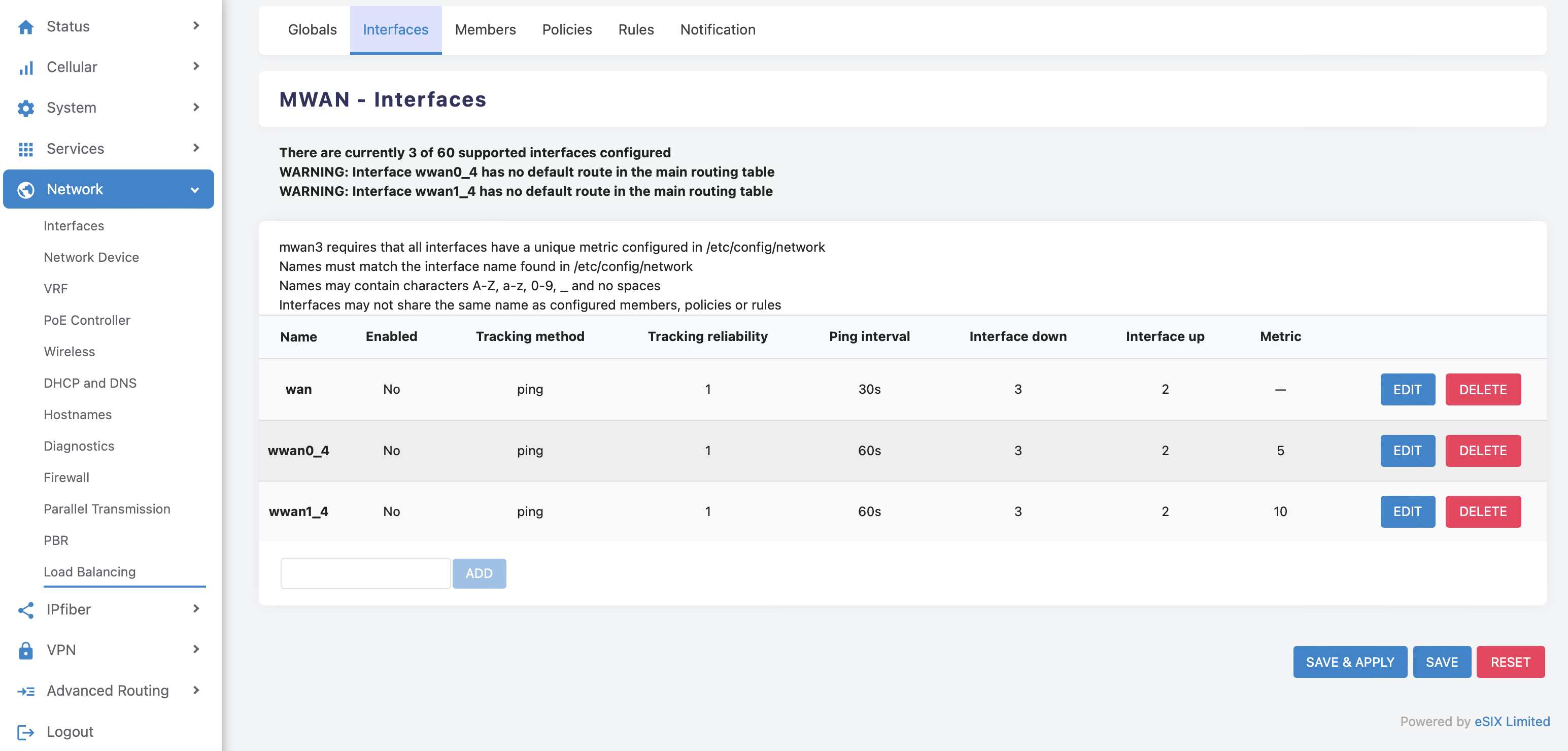
After the installation is complete, refresh the browser, in the top menu bar, go to "Networks-> From the MultiWAN Manager menu, click the Interface TAB. In the MWAN interface list, the system already has wan, wwan0_4, wwan1_4 these three interfaces by default.
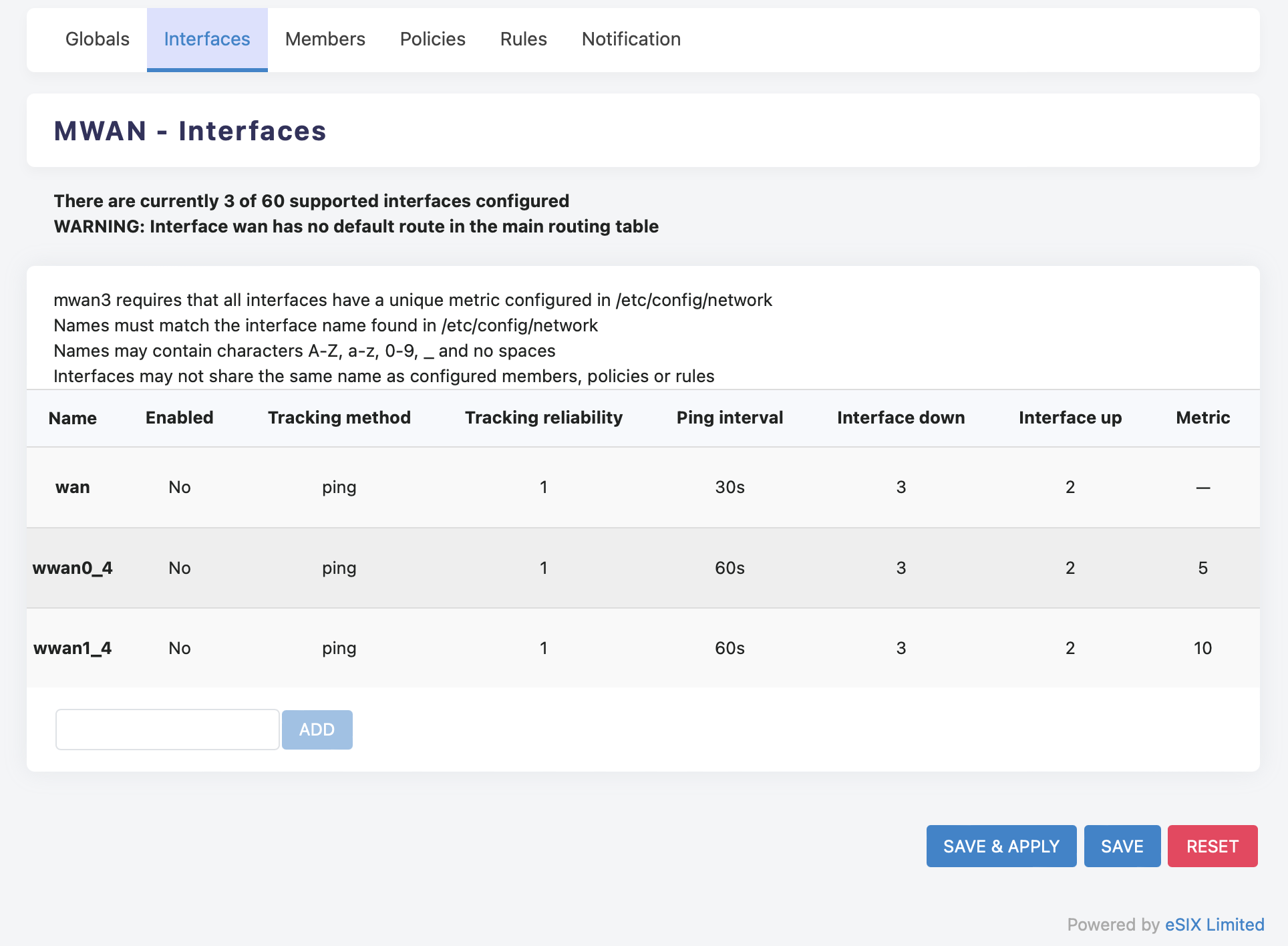
Note: The Metric of each interface using the Load Balancing policy must be different.
Go to'Interface' page
check the "Enabled" option to enable the interface of the wwan0_1_4 and wwan1_1_4 in the edit page
Tracking IP address default is 8.8.8.8
(ps: If you're in Chinese mainland, you can set the IP address to 223.5.5.5.
If you're somewhere else,the ip address can be configured to be the carrier's dns server.)
Tracking method Select ping
Ping interval is 1 minute

Enable all flush conntrack tracktable
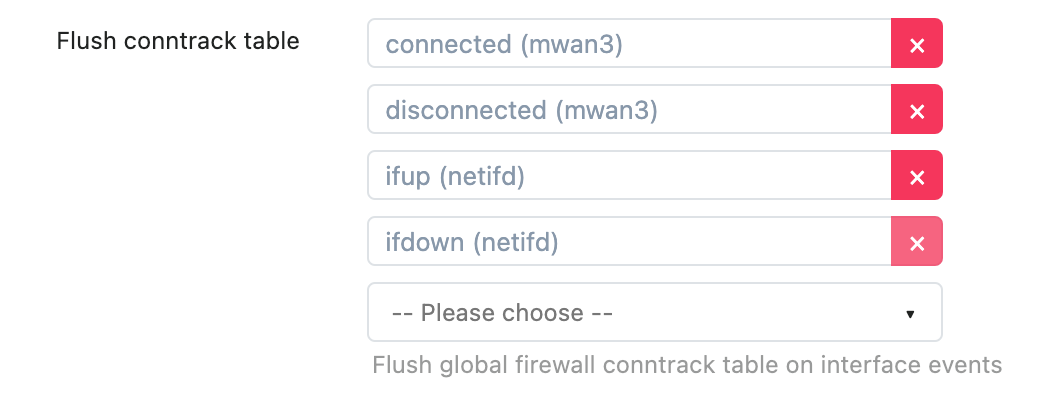
click the "Save" button in the lower right corner, and return to the Overview page.
- Configure members
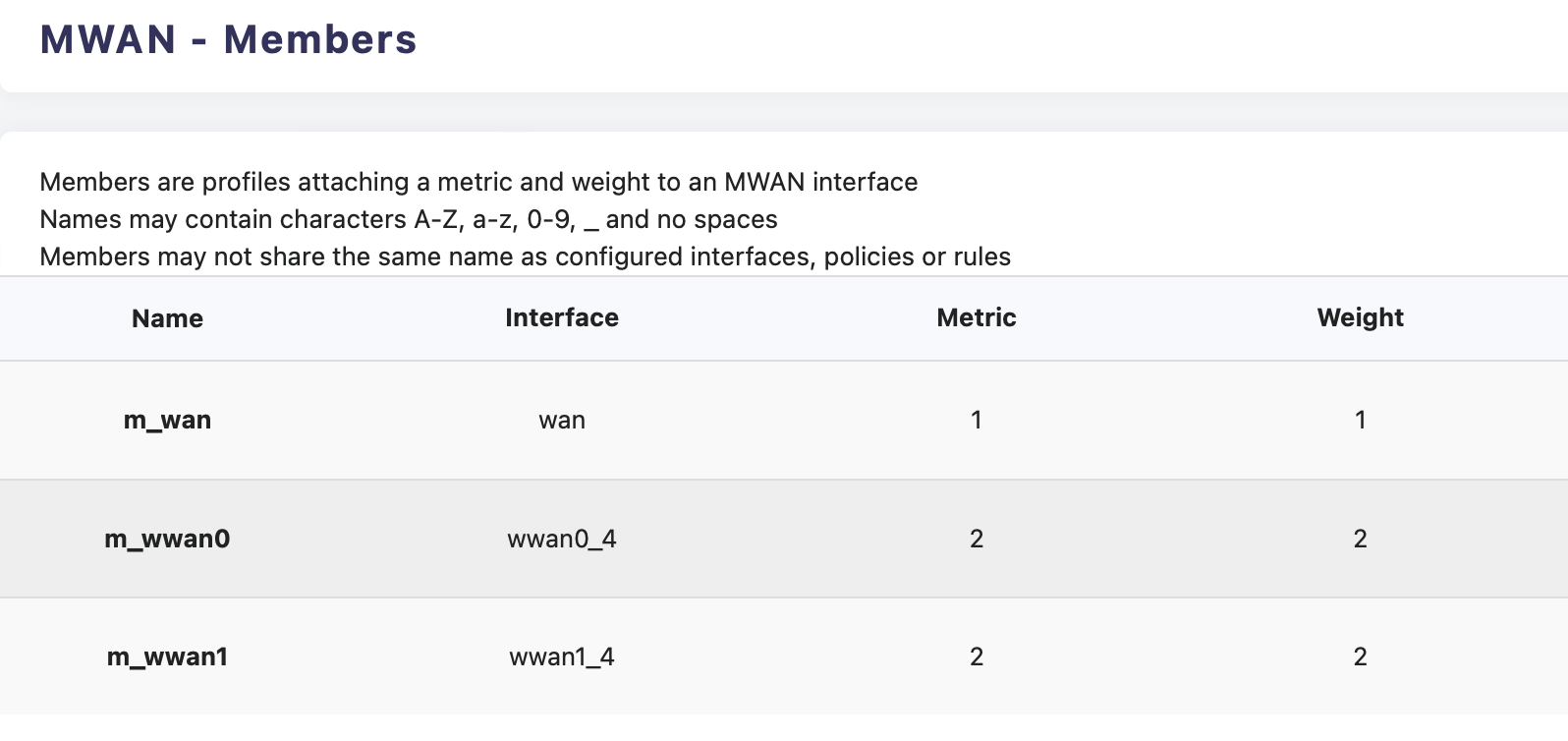
Switch to the "Members" TAB, By default, three members already exist.
Two interfaces for the same metric will be load balanced, and two interfaces for different metrics will be active standby.The lower the metric value, the higher the priority of the interface.
For two interfaces with the same metric, the larger the weight value, the more traffic is allocated.
For the MultiWAN Manager configuration, the metric and weight are the same for both interfaces.
- Configure policies
Go to'Policies' page
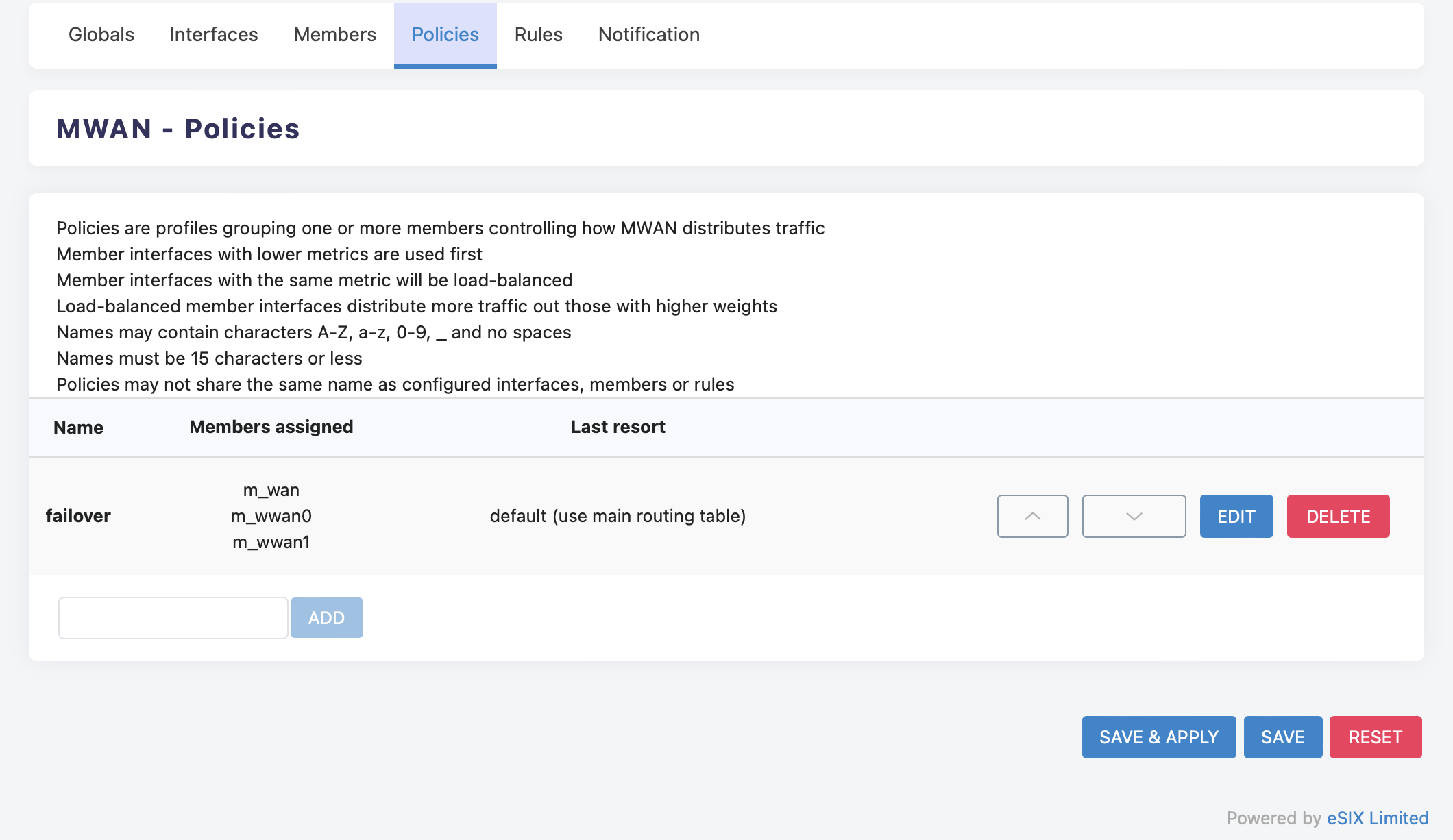
Go to the policies edit page of'failover', If you only need a cellular network
,you should delete m_wan
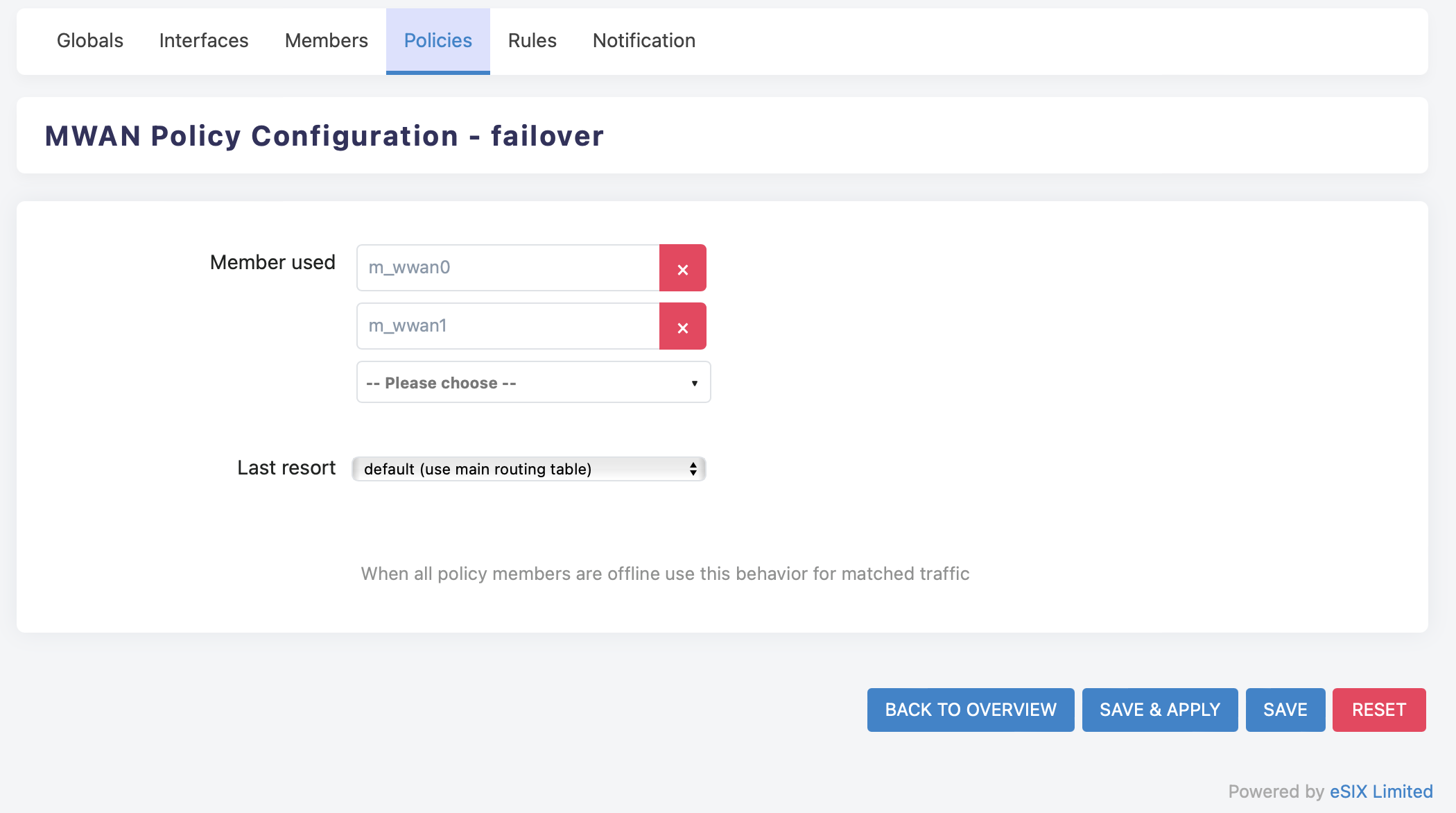
click the "SAVE & APPLY" button in the lower right corner.
If you want special connections such as HTTPS to go through a single egress link (for example, m_wwan0), you can also add a policy (for example, to which m_wwan0) has only one member.
- Configure rules
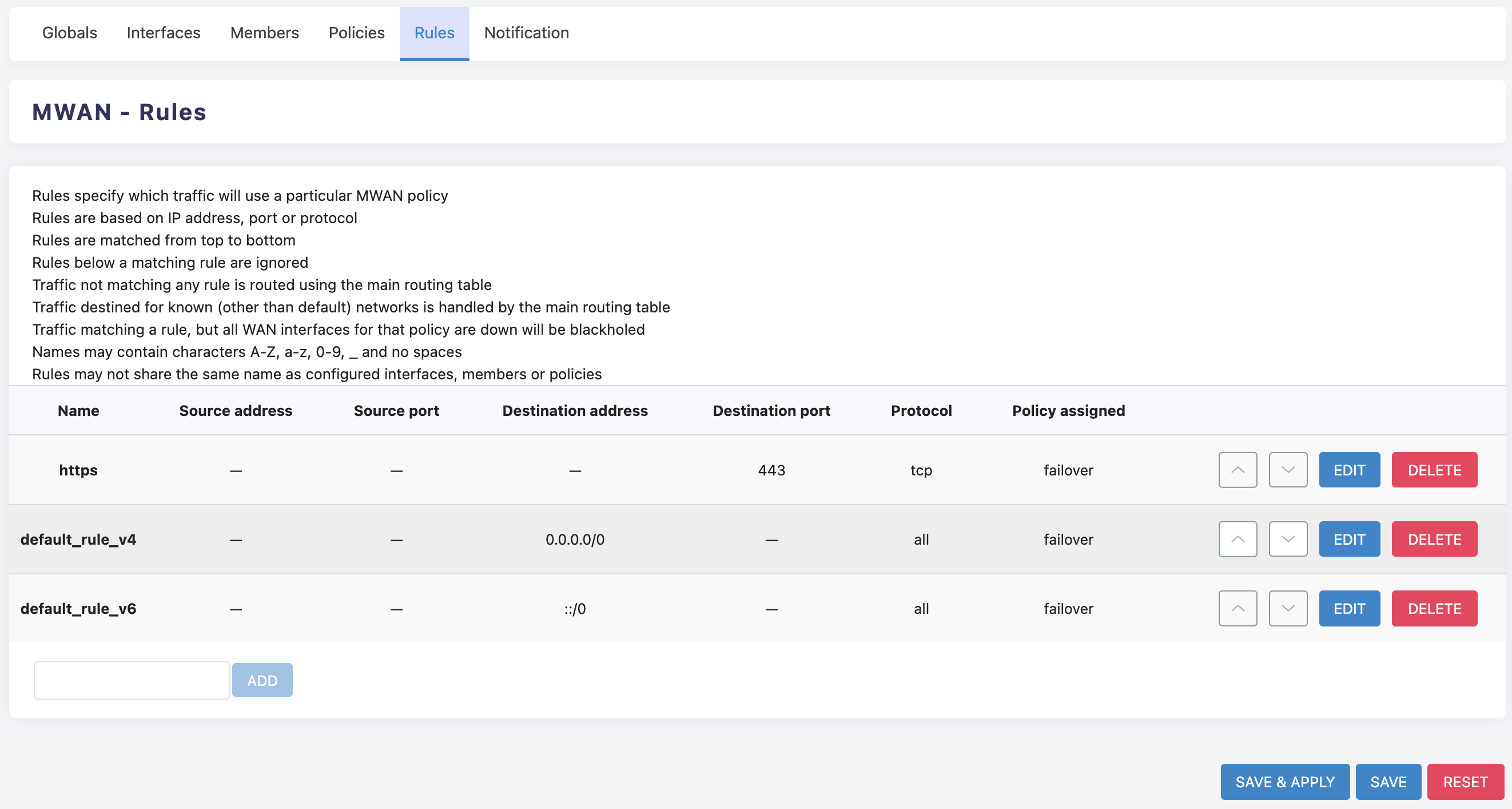
The rule configuration is the top-level configuration of mwan3, in which you can specify a certain rule to apply a certain policy. If https protocol is specified, the wan2_only policy is used. wan2_m1_w1 has only one member, that is, wan2 has only one exit.
Switch to the "Rules" TAB (Figure 6), you can choose to add your own rules, or directly modify the existing default_rule_V4, default_rule_v6, https rules.
On the rule configuration page, change the assigned policy to the desired policy, such as wan_balance. If you want to customize the rules, you can change the Internet Protocol, Source Address/Subnet, Destination Address/Subnet, Protocol and other options.
After the configuration is complete, click the "Save and Apply" button in the lower right corner of the rule overview page. All load balancing configurations are complete.