1. Introduction
A hotfix can fix some system issues without the need to update the firmware. It is usually simple and quick.
2. Configuration Steps
Enter the ENOS system page
System > Hotfix Managementand click the UPLOAD button.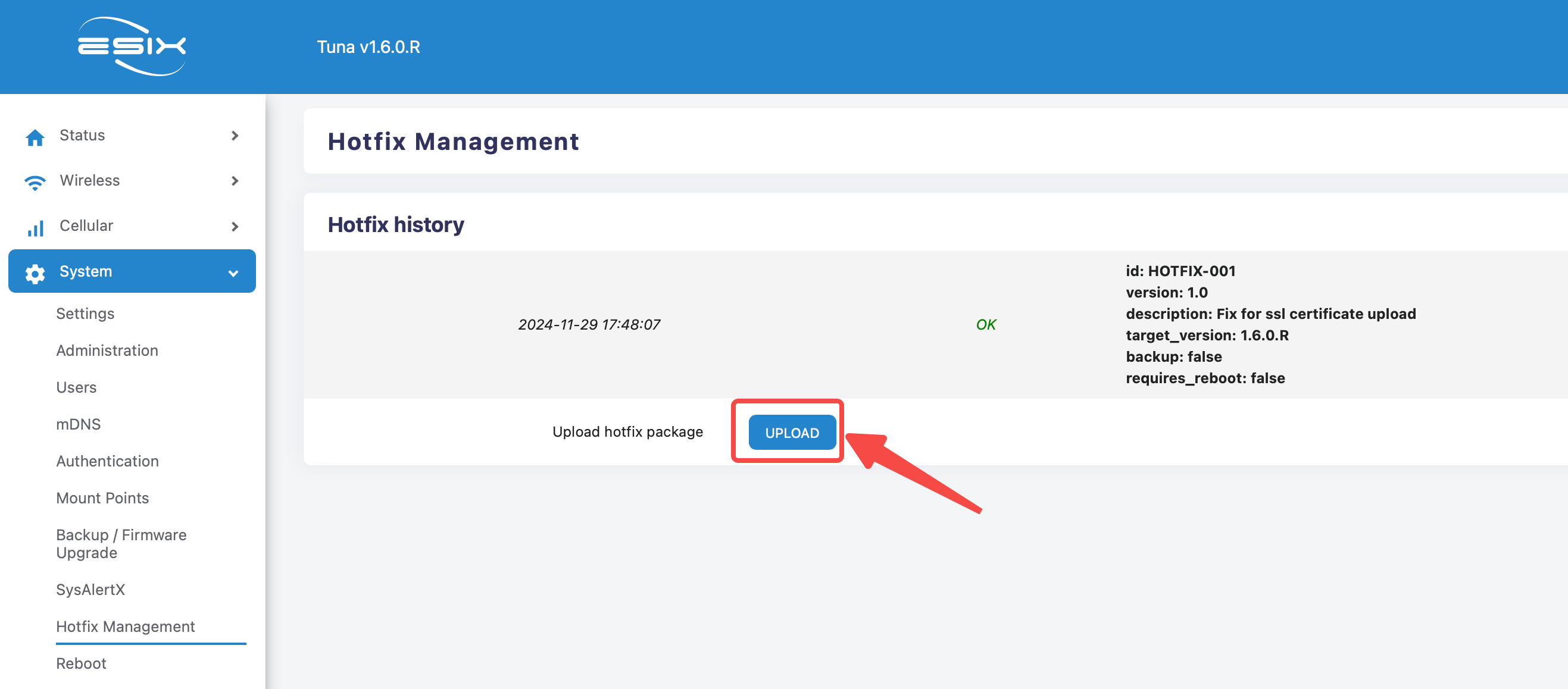
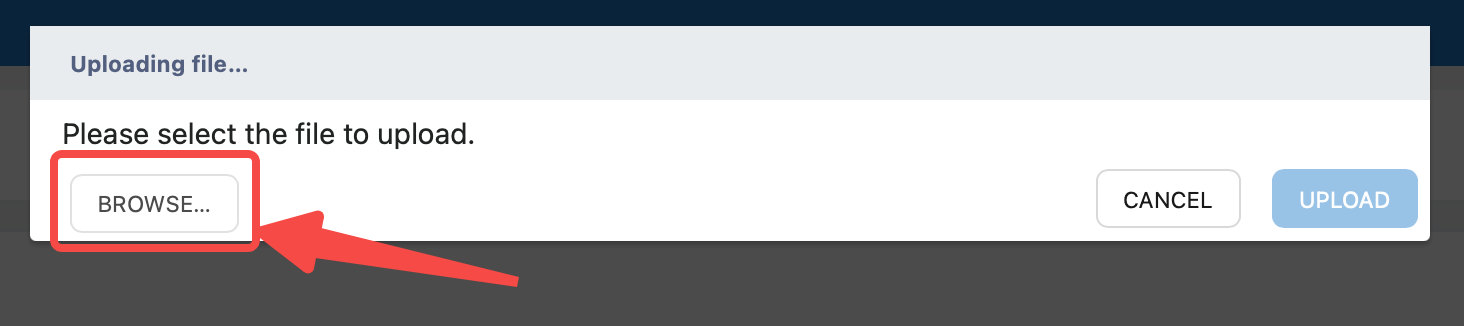
Click the BROWSE button, select the Hotfix file, and click UPLOAD.

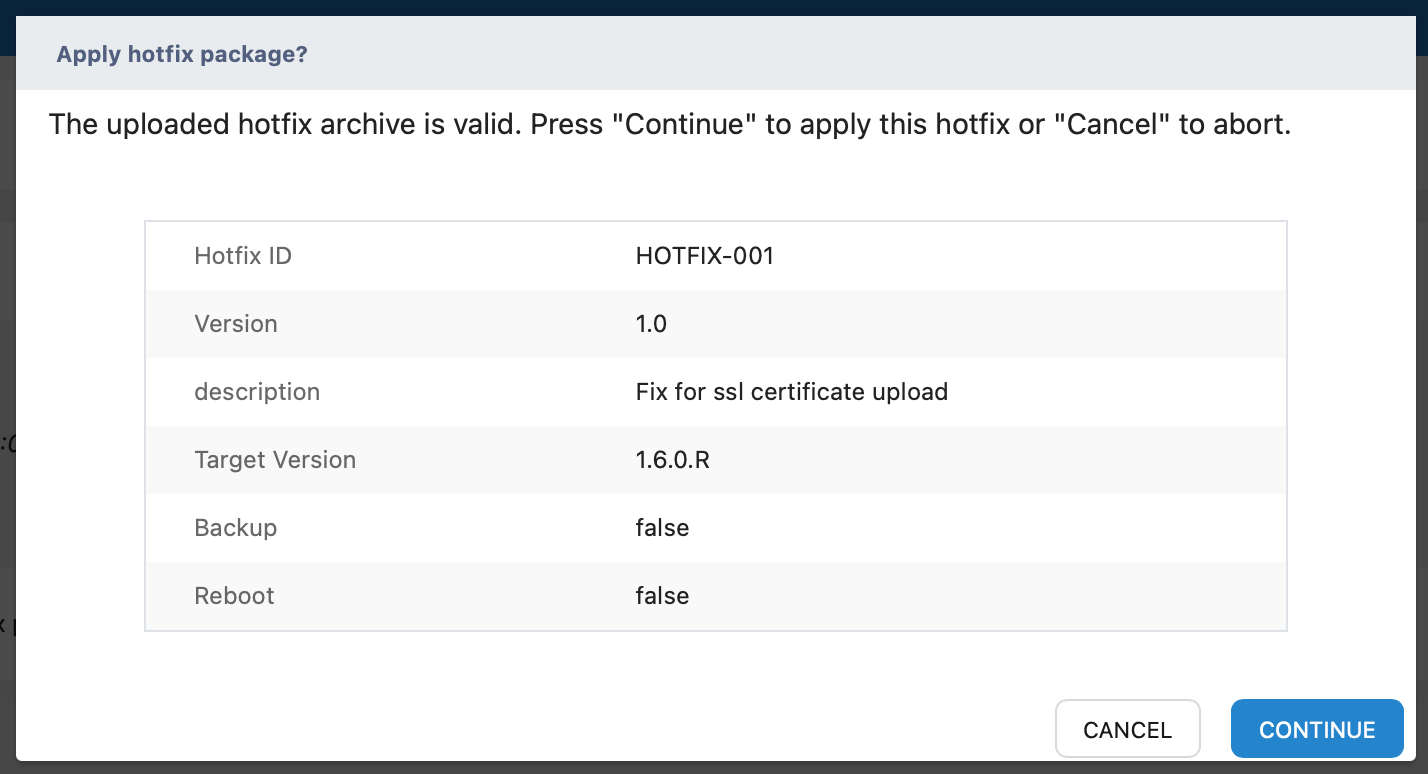
After confirming that the hotfix information is correct, click CONTINUE.
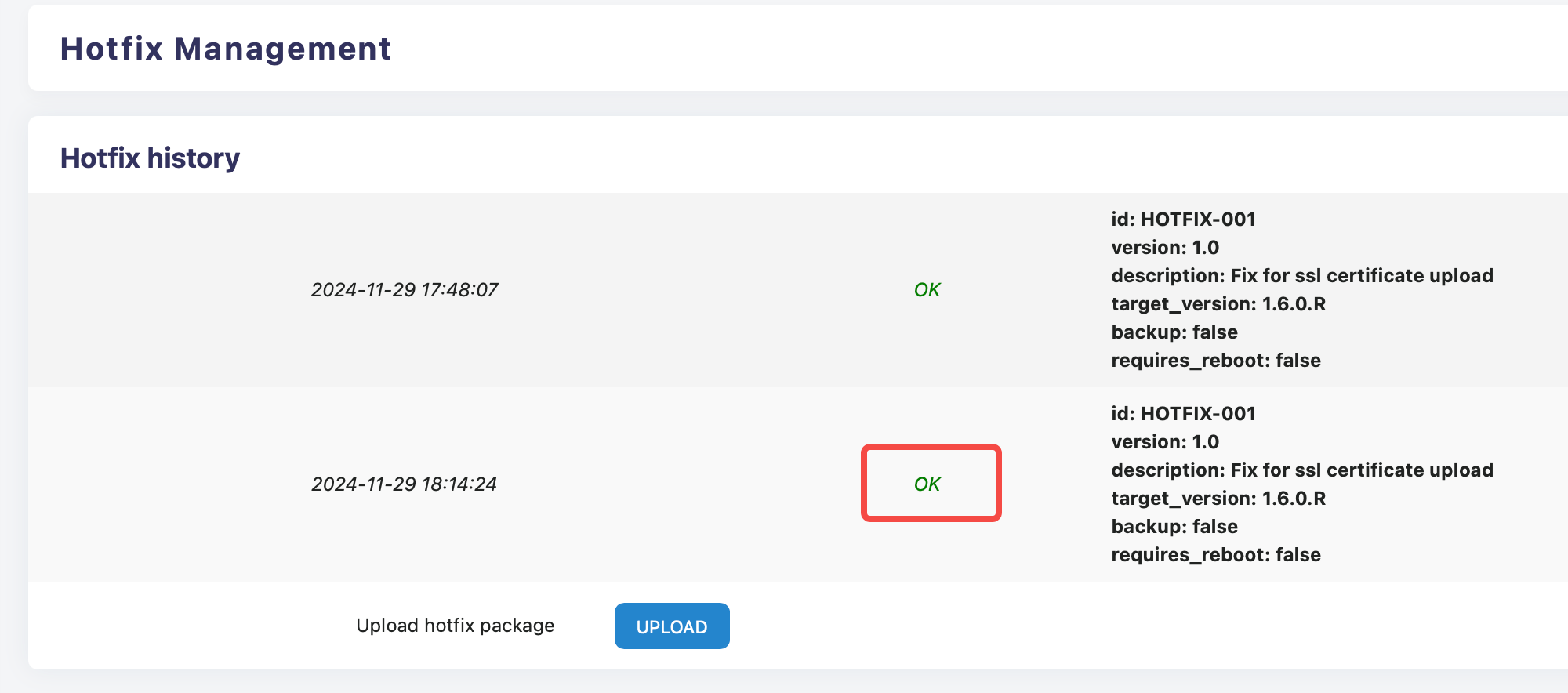
After refreshing the browser page, the historical records of Hotfix will appear. If "OK" is displayed, it means it has been successful.