Introduction
The eBrain system supports multi-tenant functionality, allowing different tenants to be created and assigned based on different usage scenarios. Platform administrators can manage all tenants, and tenants can manage the devices under their names.
Configuration steps
Create Tenant
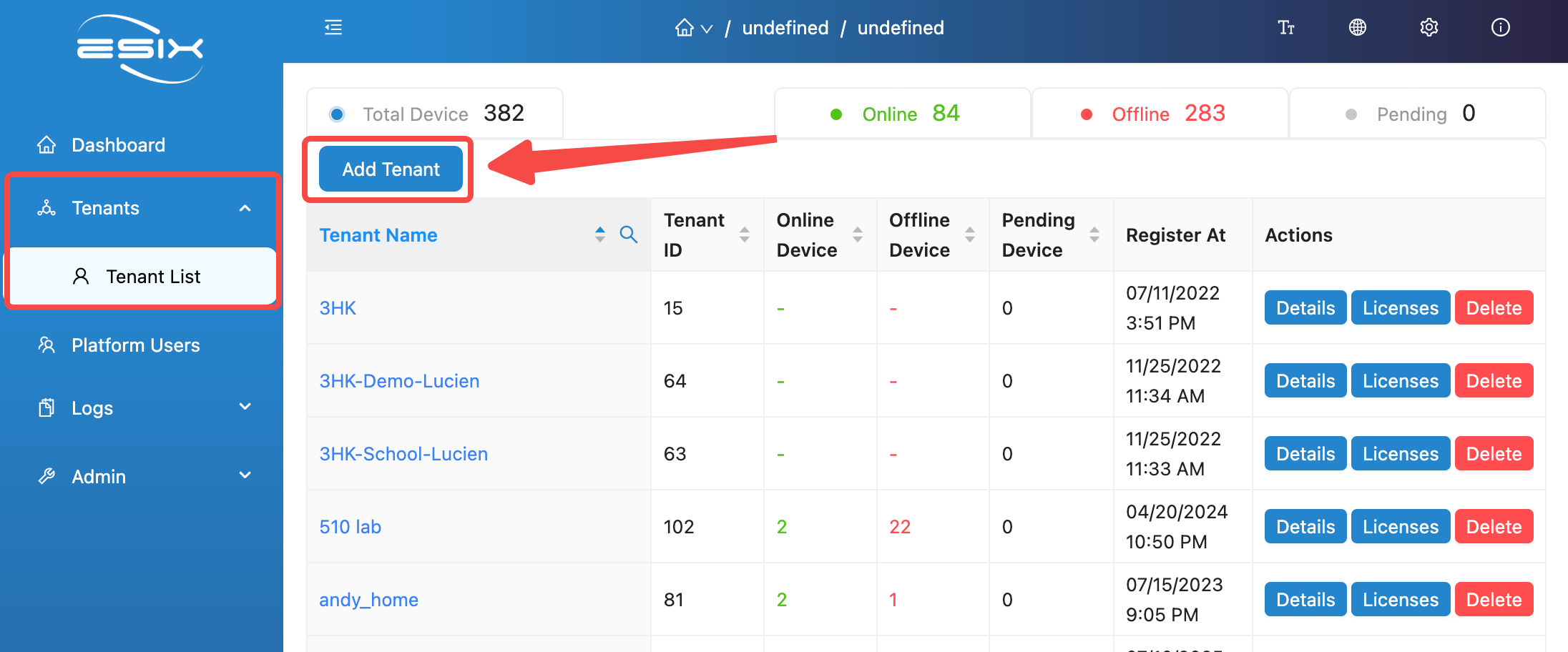
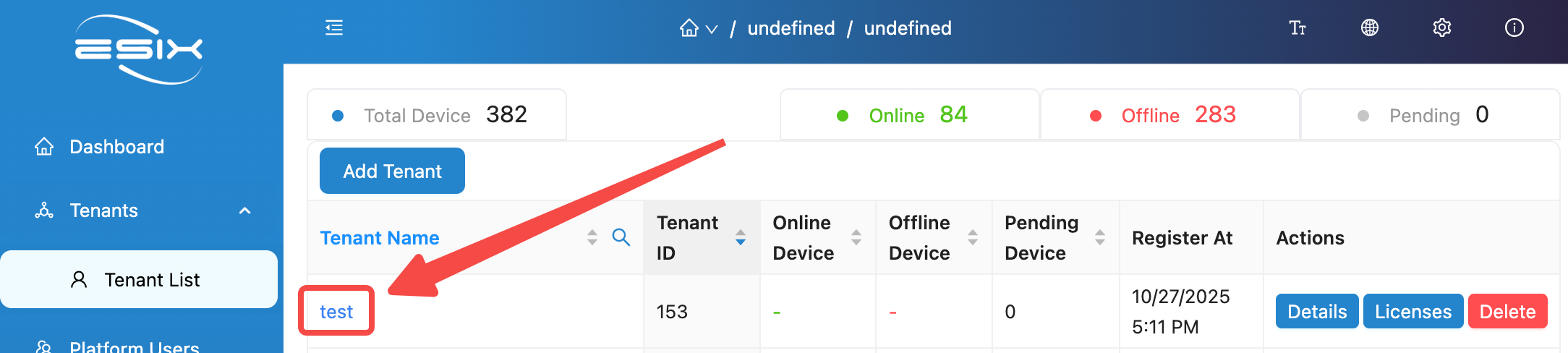
Log in to the system with an account having platform administrator privileges, navigate to the 'Tenants' page, and click 'Add Tenant'.
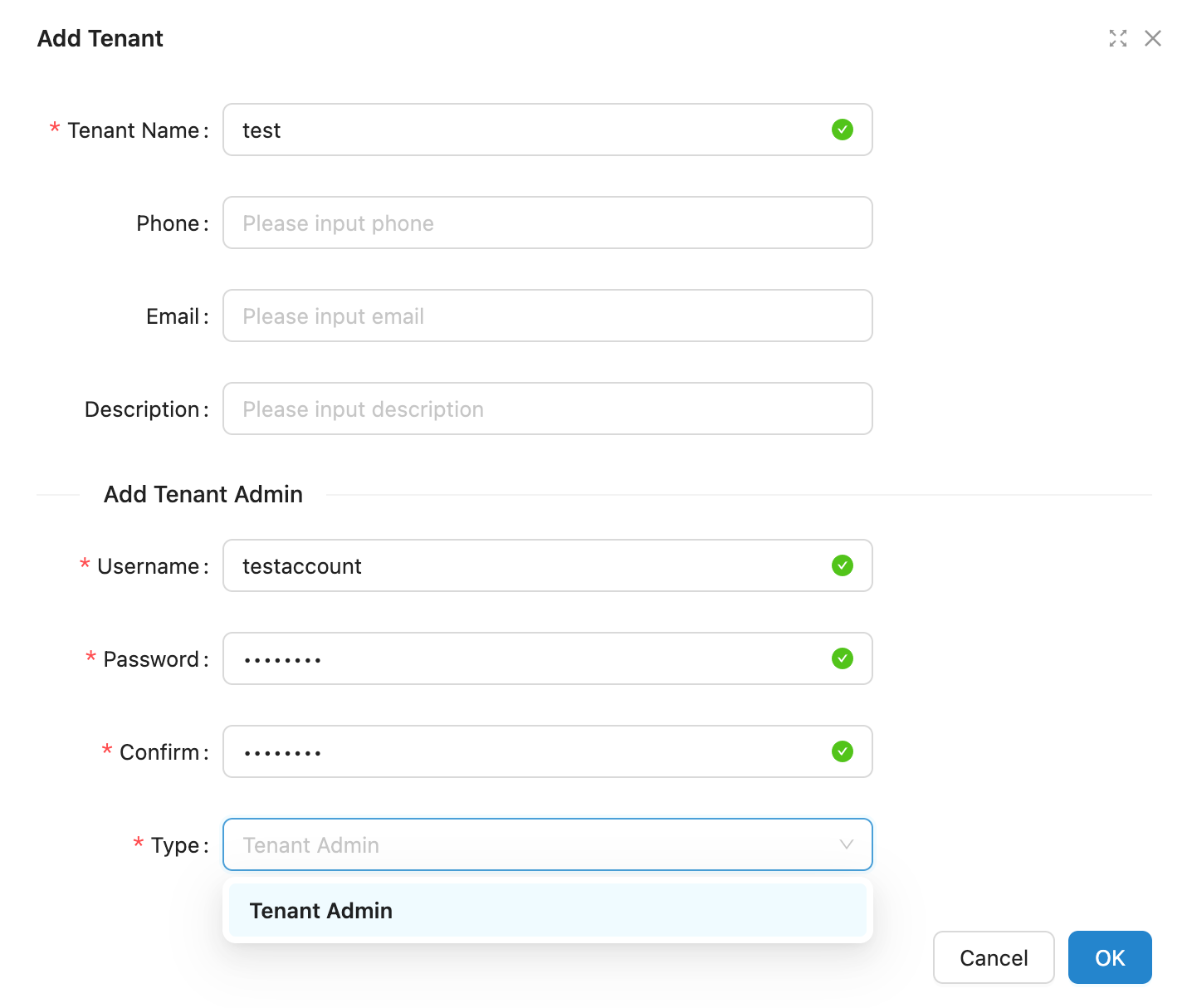
Fill in the 'tenant name', add the account password of the tenant administrator, and click 'OK' to create a new tenant and its tenant management account.
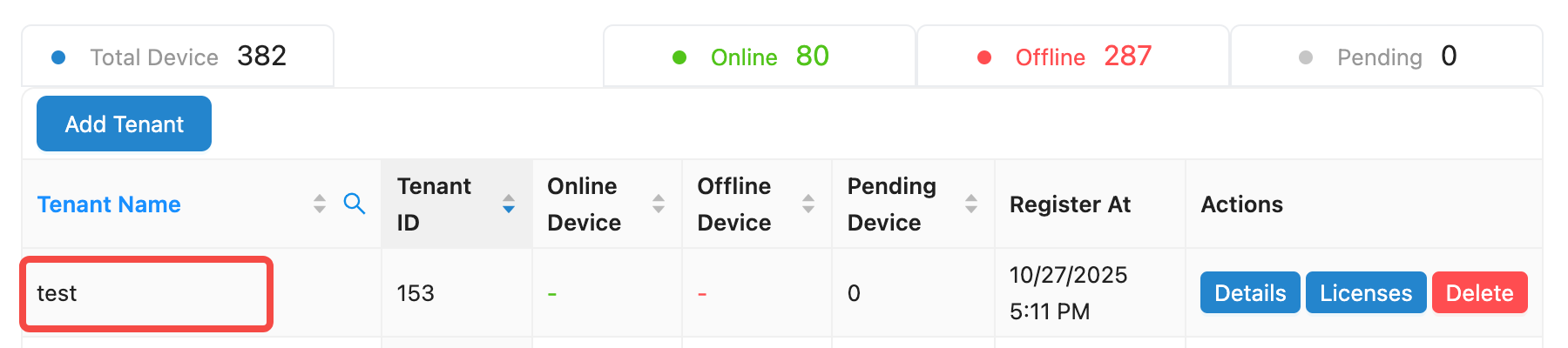
The tenant can be seen on the 'Tenant list'.
Create User
Platform administrator creates tenant user
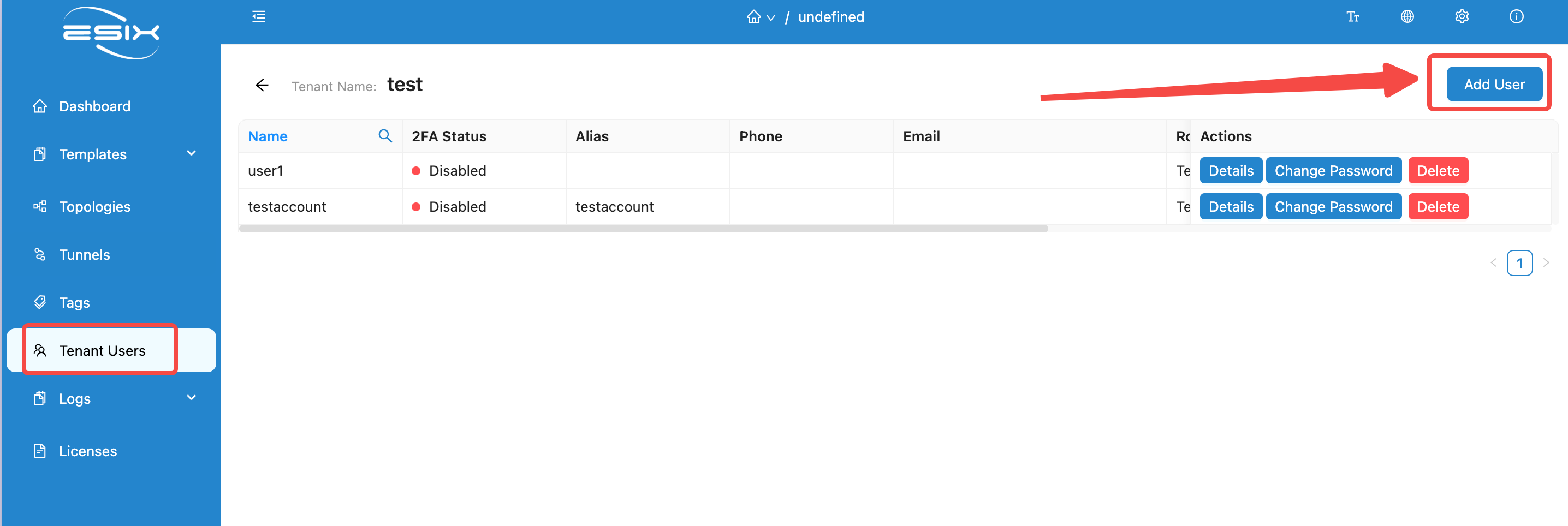
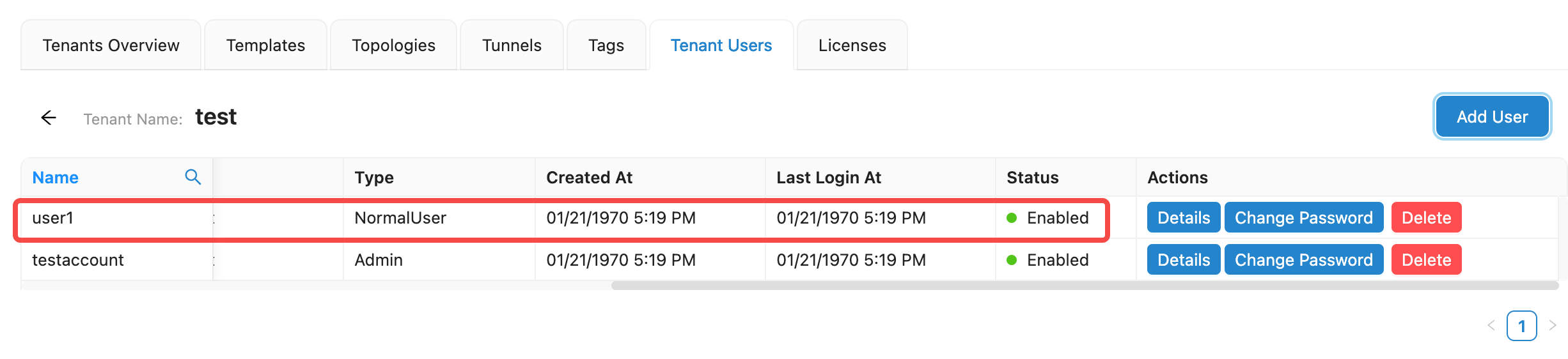
On the 'Tenants list' page under platform administrator permissions, click on the tenant name to enter the tenant management page, and find the 'Tenant Users' page .
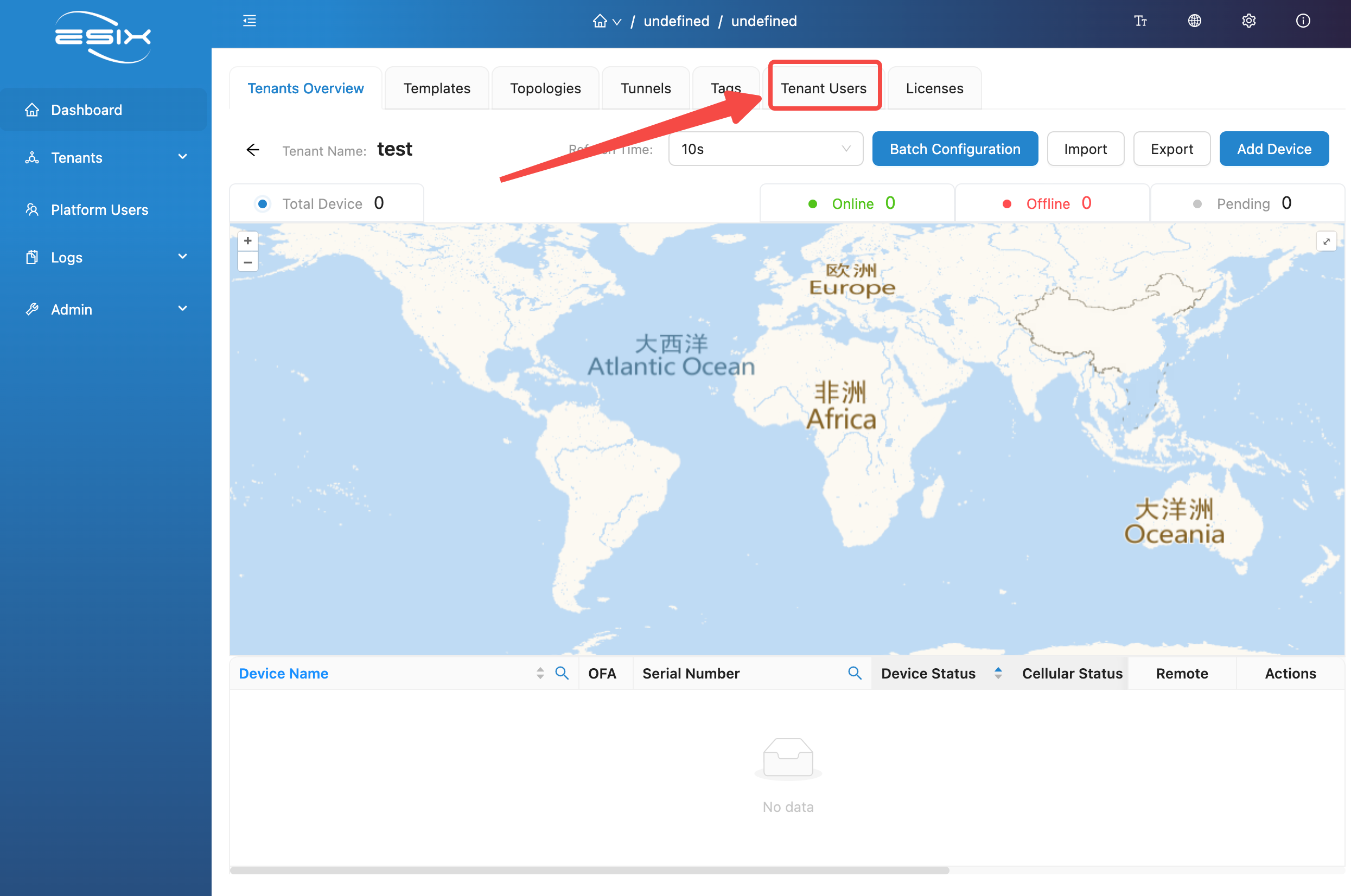
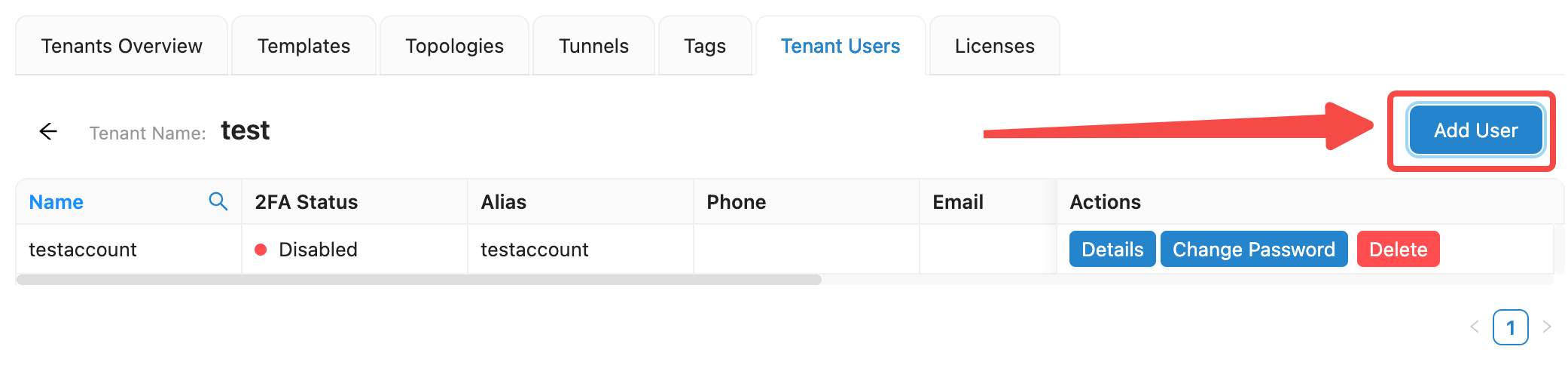
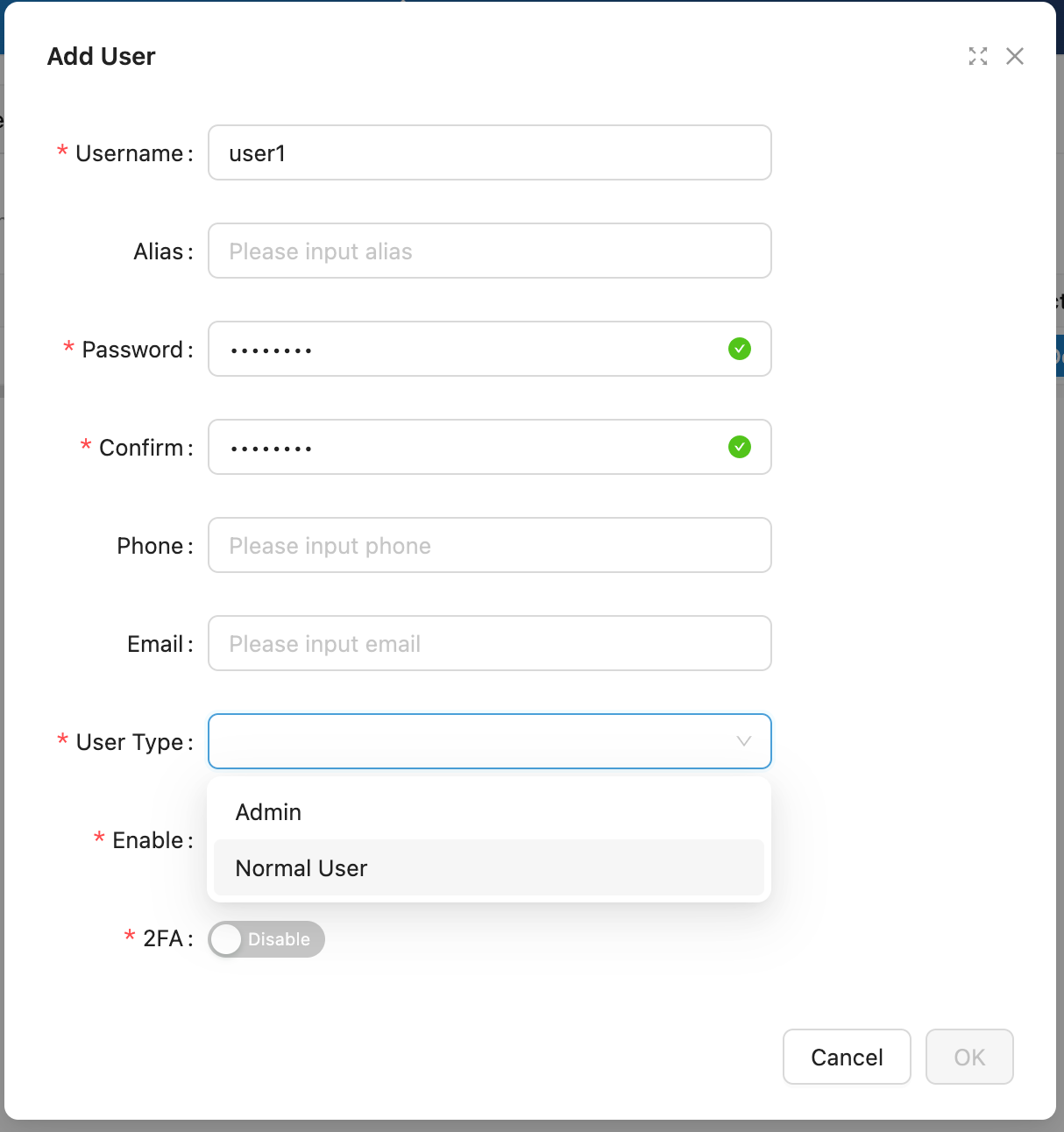
On the 'Tenant users' page, click 'Add User', fill in the User name and password, select the user type, and click 'OK' to successfully create a user.
Tenant administrator creates user
After logging into the system with a tenant administrator account and entering 'Tenant Users', you can also perform operations such as creating and managing users, and the method is similar to that of an account with platform administrator privileges.